Student services are entered as they are listed on the student’s IEP.
- Click on Users and open the student profile
- Click on Treatment plans-the (3) areas of General will need to be completed for the +Add Service button to appear.
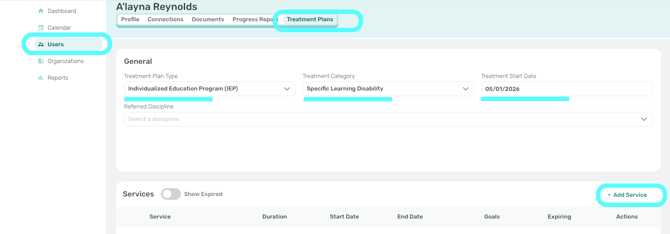
- Click on +Add Service
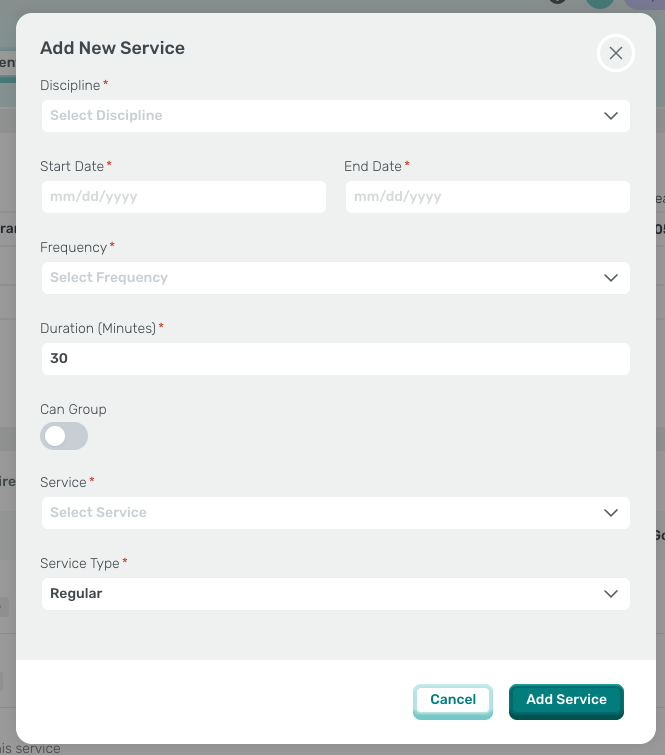
- In the next window enter the information from your student’s IEP.
- Discipline
- Begin and end dates from the student’s current IEP.
- Frequency and duration as indicated on the student’s current IEP.
- Turn on Can Group if the student will be seen in a group.
- Services and Service Type. See Event Types.
- Click Save.